
Streamline how your employees manage their spending accounts and reimbursement benefits
Your employees manage multiple accounts across separate portals. Health Wallets Powered by First Dollar brings them together—one app, one card, one experience. You continue administering benefits in APS OnLine. The Healthcare Account Specialist team handles the rest.
One connected experience across two systems
Your benefits administration stays in APS OnLine. Spending accounts and reimbursement benefits live in Health Wallets. The Healthcare Account Specialist team bridges the two—managing account setup, claims processing, and employee support while you manage benefits as you always have.
Employee Experience
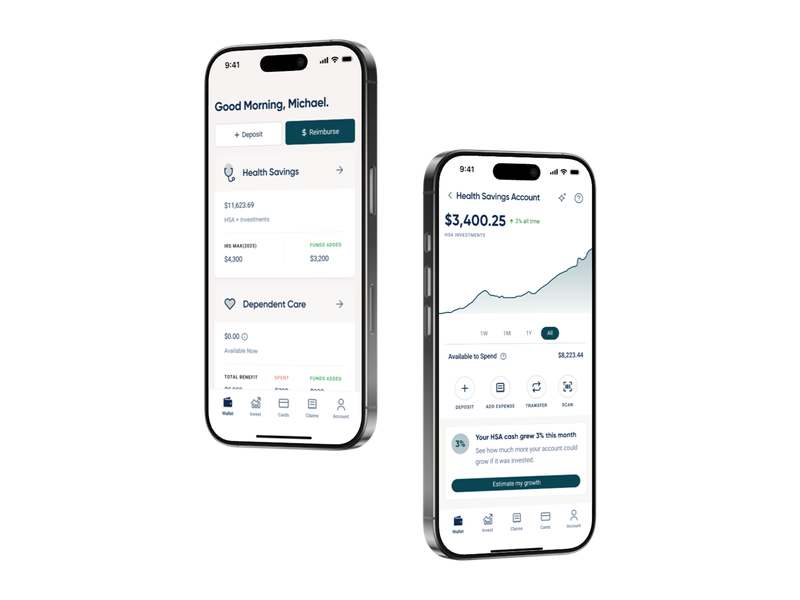
View, claim, and invest in one app
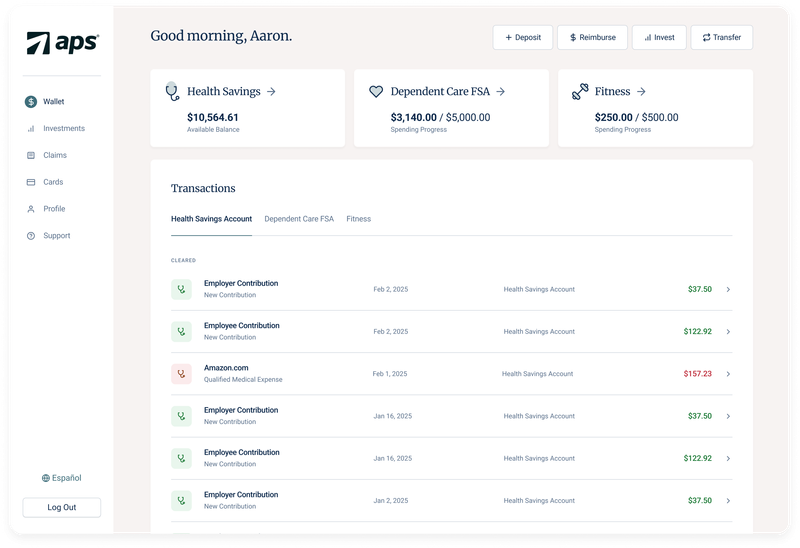
Employees log into the Health Wallets app and immediately see their HSA, FSA, Commuter, and lifestyle account balances. They can file claims by photographing receipts, use one benefit card across all accounts, and invest HSA funds—all from their phone or desktop. No portal switching. No separate cards. No confusion about which account to use.
- Real-time balance visibility across all Spending Accounts
- Smart Fill claims: snap a photo, file in seconds
- One benefit card for all accounts
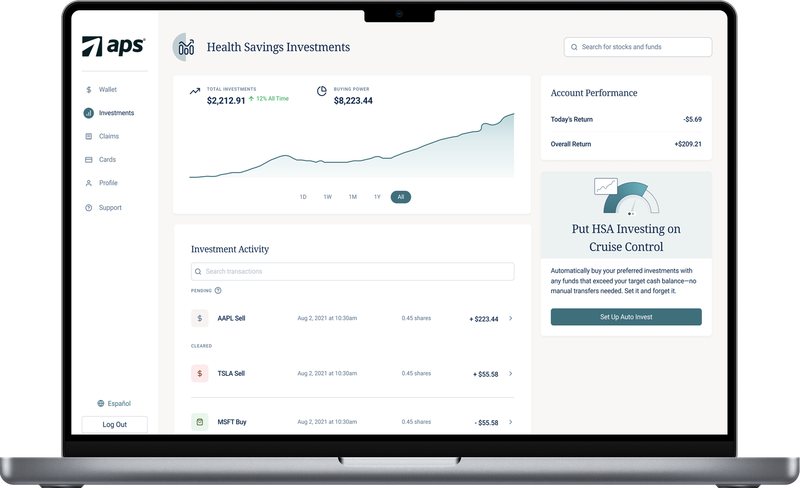
- HSA investing in 3,000+ Morningstar-curated options ($0 trading fees)
- Built-in education for each account type
- Mobile-first design optimized for on-the-go access
Your Role
Manage spending accounts and reimbursement benefits in APS OnLine
You control which Spending Accounts and Reimbursement Benefits your company offers and set funding amounts in APS OnLine—just as you do today. Configuration happens once during setup; ongoing management is straightforward. Multi-admin access gives your team visibility into account status and employee enrollment without needing to step outside APS.
- Decide which account types to offer (HSA, FSA, DC-FSA, Commuter, lifestyle, etc.)
- Set annual funding amounts per account per employee
- Configure enrollment windows and plan-year timing
- Define eligibility rules and employee tiers
- Choose enrollment method: direct payroll integration or Smart Spreadsheets
Claims and Account Management
Handled by the Specialist Team
You don’t process claims for Spending Accounts and Reimbursement Benefits—the Healthcare Account Specialist team does. When an employee files a claim in the Health Wallets app, the Specialist team reviews, approves, and processes the reimbursement. Your payroll team stays out of the claims workflow entirely. This frees up your bandwidth for strategic HR work instead of transaction processing.
- Account setup and initial employee activation
- Claims review and approval (Smart Fill and manual claims)
- Employee support and account questions
- HSA investing guidance and account management
- Compliance and regulatory requirements (HSA rules, FSA deadlines, etc.)
- Reporting and account reconciliation

HSA Investing
Employees grow their health savings
If your employees hold an HSA with Health Wallets, they can invest their balance above a target cash amount. The platform offers 3,000+ Morningstar-curated stocks, funds, and ETFs with zero trading fees. Auto-Invest automatically moves funds above a set threshold into a diversified portfolio, so employees can set it and grow their health savings long-term.
Investing Features:
- 3,000+ investment options curated by Morningstar Investment Management
- $0 per trade (no trading fees or commissions)
- Tax-free growth within the HSA
- In-app guidance and performance tracking
Ready to Upgrade?
Your account manager is ready to help you get started Schedule a 30-minute call, and we'll walk you through exactly what Health Wallets unlocks for your employees, answer your pricing questions, and handle the transition — no IT required.